

Project status
See the current status and progress of each site, including projects that need an update.
Construction project records
Every new project brings more deadlines, information and things to keep an eye on. KartaStavby lets you keep construction project records in one place and quickly see what is underway, who is responsible and what needs attention.
Status, deadlines and context linked to each project
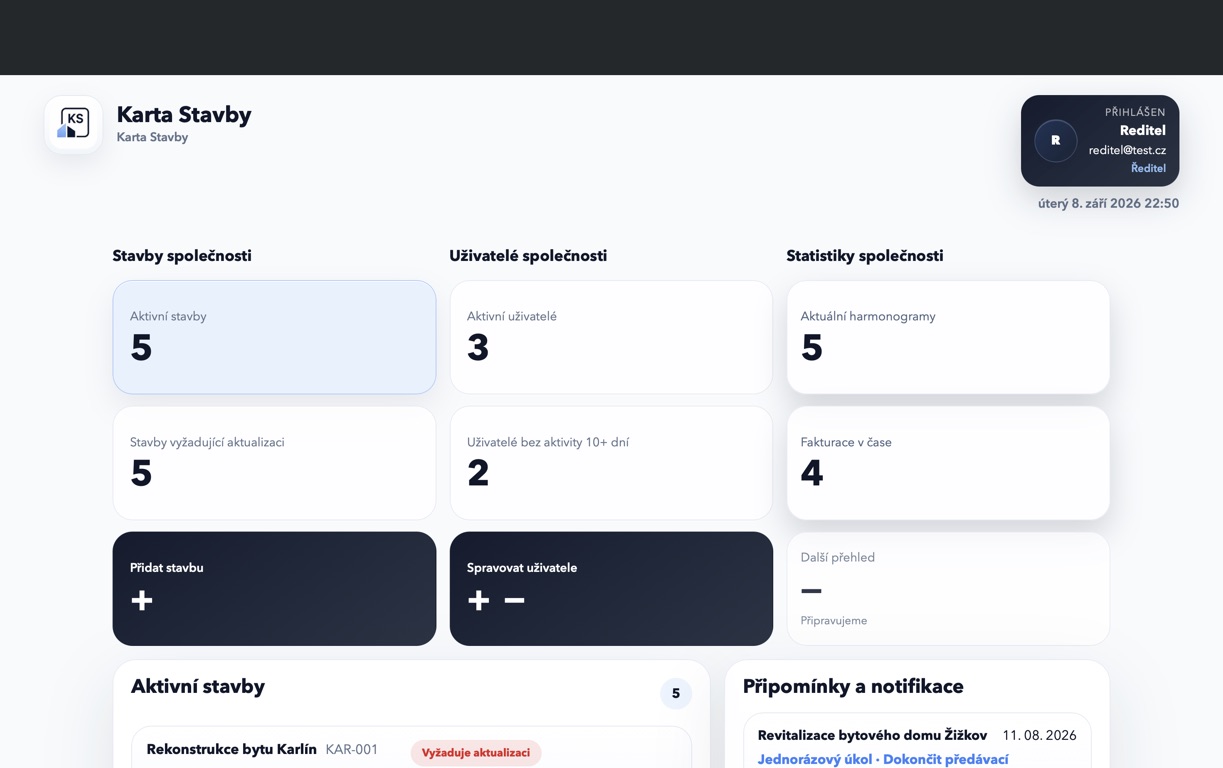
Keeping project records does not have to mean dozens of fields and complicated admin. For a small construction company, the priority is finding the information that tells you how a particular project is doing.
See the current status and progress of each site, including projects that need an update.
Project deadlines, tasks and milestones stay with the project instead of being buried in emails and messages.
The assigned site manager sees the project in their overview. Management knows who to contact about it.
Record actual cost items by category and compare them with the project budget.
Look up completed, incomplete and rescheduled tasks, including additional notes.
With two projects, you may remember where each one stands. Once several are running at the same time, seeing them together becomes much more useful.
KartaStavby gives you an overview of all projects first. You can then open the one you need to work on. Your ongoing project records have a shared starting point and a dedicated place for each site’s information.
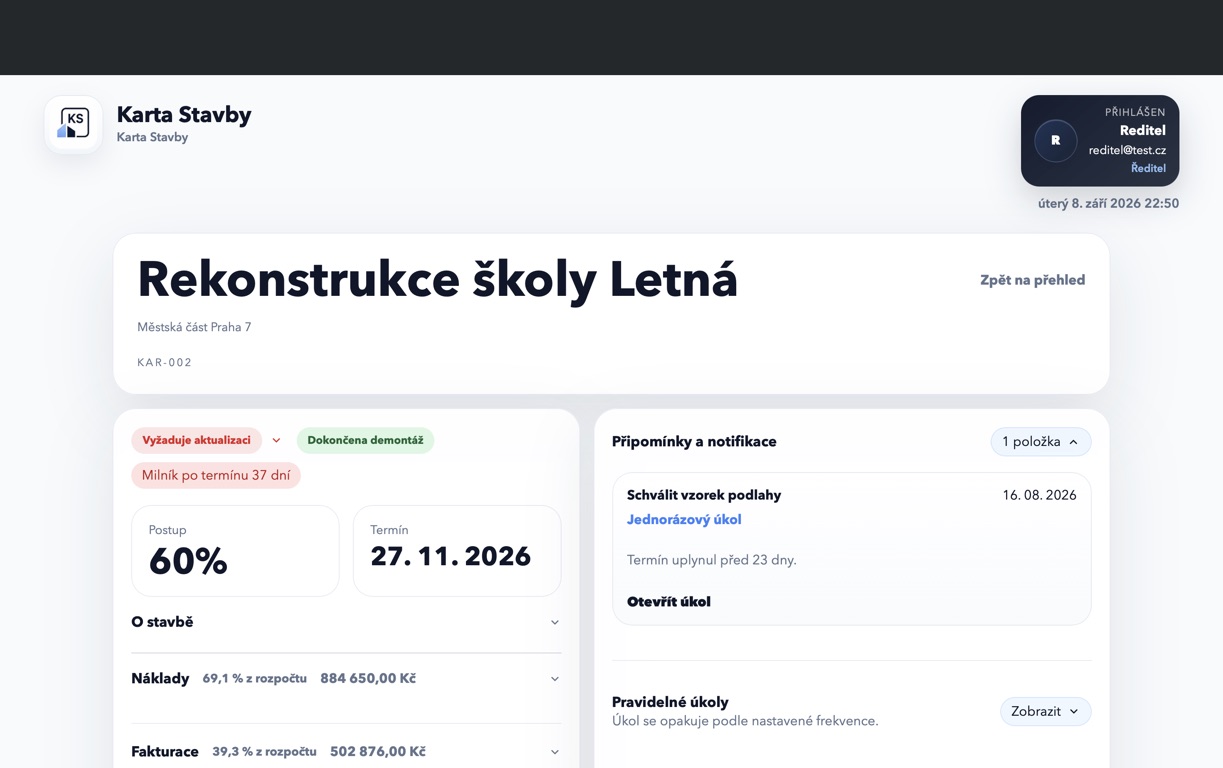
Managing several construction sites · Project management features
In a small company, the owner often knows the exact state of every project. That works until everyone starts asking the owner for every piece of information.
When key information is recorded in a shared place, the team can check the basic project status themselves. Builders work with assigned sites, directors have the company overview and inspectors have read-only access. Keeping records current still depends on people entering changes as they happen.
You do not need a large business system to keep records for a handful of construction projects. You also do not have to create another spreadsheet every time the previous one stops being practical.
KartaStavby sits between those options for companies that want organised project records without implementing an ERP. Your tracking tool should match the information you actually need to share and follow.
Frequently asked questions
Keep the current status, key deadlines, responsible people and other information needed to manage each project in one place. The level of detail should match the size of your company and the complexity of its projects.
Excel can work very well for a few simple projects. Problems usually arise when you have multiple spreadsheets, several people working on them or information moving into emails and messages.
It depends more on the number of concurrent projects than on the number of employees. A simple shared overview can be useful for a team of just a few people if they work on several sites at once.
In a short demo, we will walk through the records you keep today and how your team can find them on each project.